Upgrading Your Account |
| |
| |
| It's easy to upgrade your account with TabStar and there are several ways
you can do it. |
| |
| You can upgrade your existing account by visiting the Create Account page when you are logged in to the site: |
| |
| |
 |
| |
| |
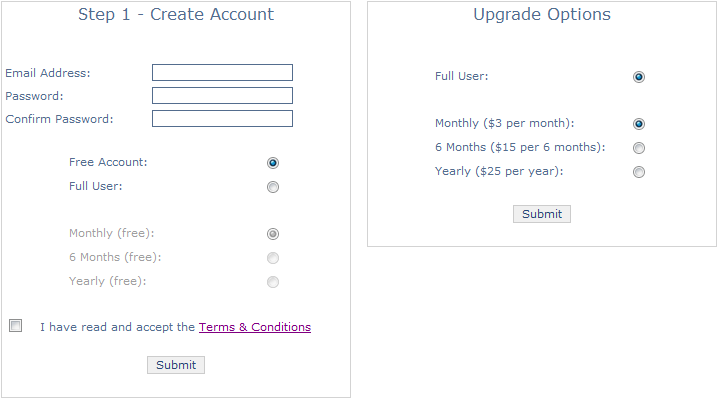
| The Create Account page gives you 2 options if you visit it when logged in. You can create a new account
using the 'Create Accout' part on the left, or you can upgrade your existing account using the 'Upgrade Options'
part on the right. |
| |
| Clicking 'Submit' will present you with the 'Subscribe' button and you can upgrade your account as you would
if you were creating it from new. You can read how to make a payment on the Payments - PayPal
page. |
| |
| |
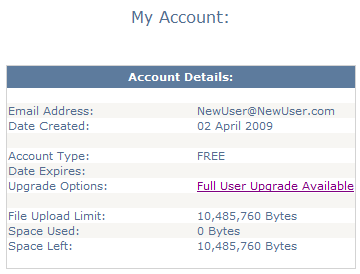
| You can also upgrade your account via you 'My Account' page: |
| |
| |
 |
| |
| |
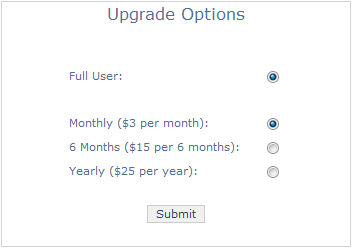
| Clicking on the 'Full User Upgrade Available' link from your 'My Account' page will take you to a simplified
view of the 'Create Account' page where you can easily perform your upgrade: |
| |
| |
 |
| |
| |
| As mentioned before, clicking the 'Submit' button will take you through the payment process which you can
read about on the Payments - PayPal page. |
| |
| |
| |
| |